
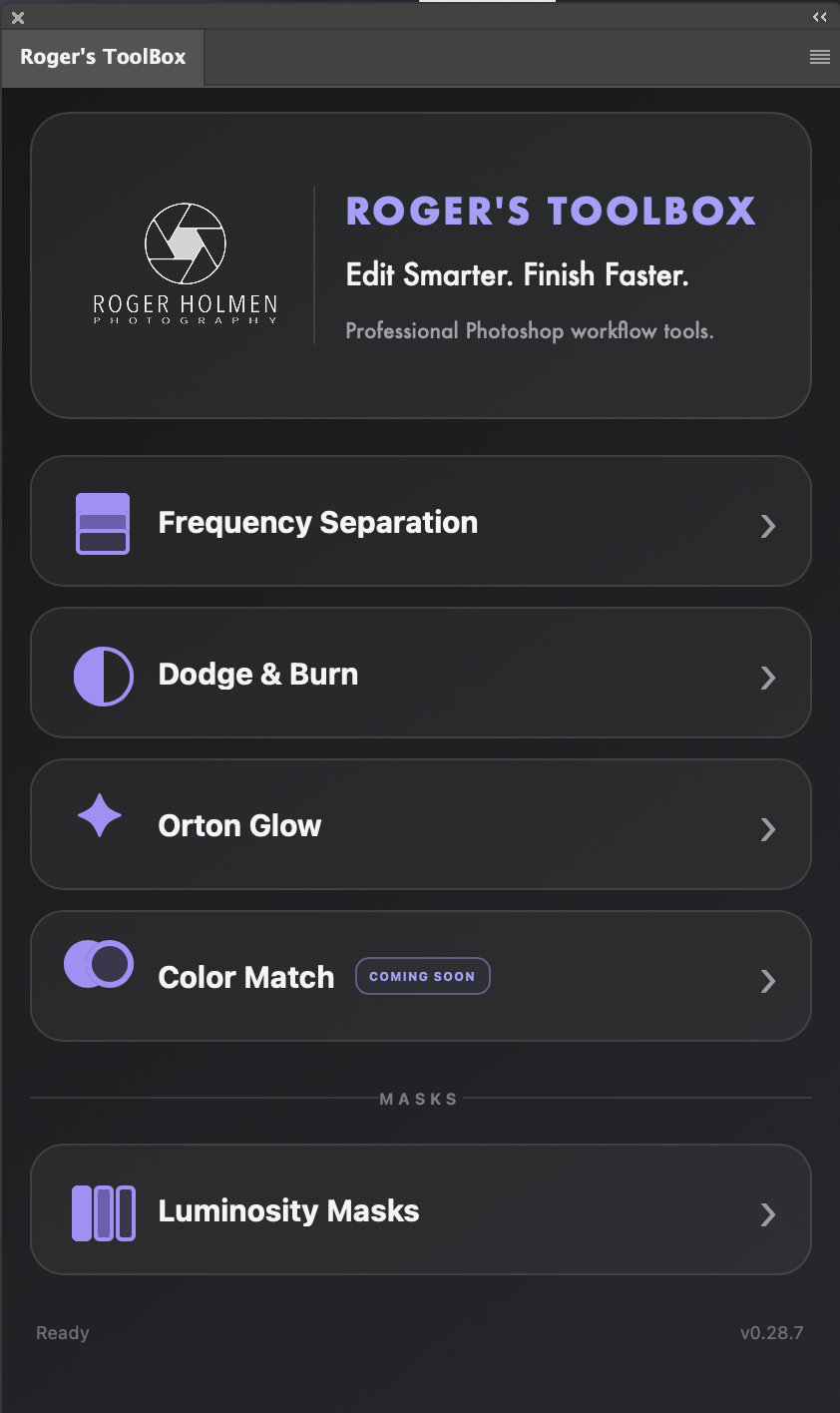
ROGER'S TOOLBOX
Edit Smarter. Finish Faster.
A compact Photoshop workflow panel built by a photographer, for photographers.
Roger's ToolBox brings essential Photoshop techniques together in one clean, intuitive panel — helping you spend less time building workflows and more time creating refined images.
Frequency Separation · Dodge & Burn · Orton Glow · Luminosity Masks
Launch Price. 149 NOK
249 NOK Regular price
One-time purchase · No subscription
WHAT'S INSIDE
Everything you need. Nothing you don't.
Roger's ToolBox brings four essential Photoshop workflows together in one focused panel. Each tool is designed to remove repetitive setup while keeping you fully in control of the final image.
Frequency Separation
Separate color and texture into a clean, ready-to-use layer structure for precise retouching.
Orton Glow
Build a classic Orton-style glow with a controlled layer structure for adding atmosphere and depth.
Dodge & Burn
Create a non-destructive Dodge & Burn workflow instantly, ready for subtle shaping of light and shadow.
Luminosity Masks
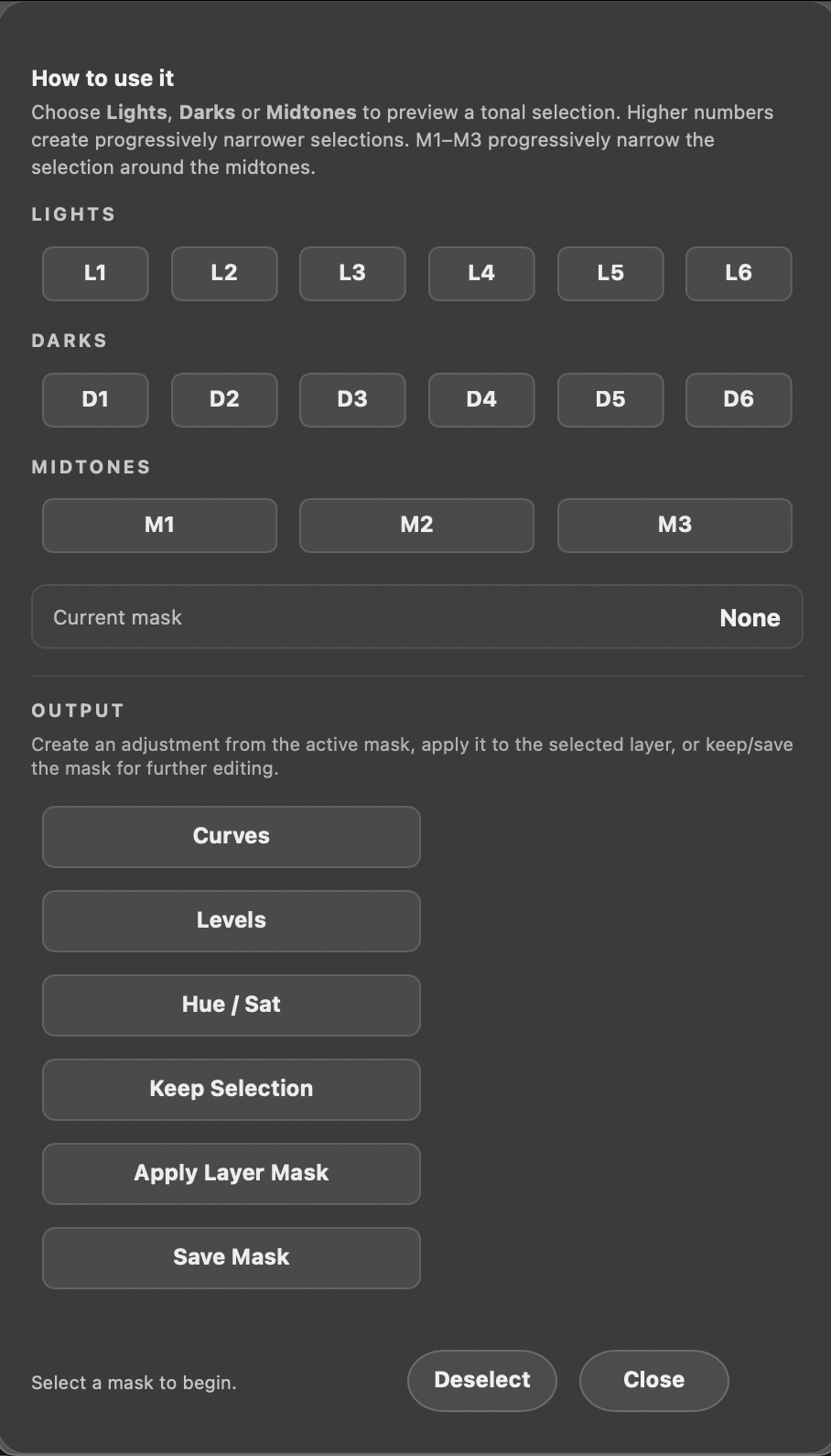
Target Lights, Darks and Midtones with precision and send the active mask directly to Curves, Levels, Hue/Saturation or a layer mask.
COMING SOON — COLOR MATCH
Color Match is already in development and will be added in a future update.
BUILT FOR REAL WORKFLOWS
Less setup. More time for the image.
Roger's ToolBox handles the repetitive setup behind some of Photoshop's most useful techniques — while leaving every creative decision in your hands.
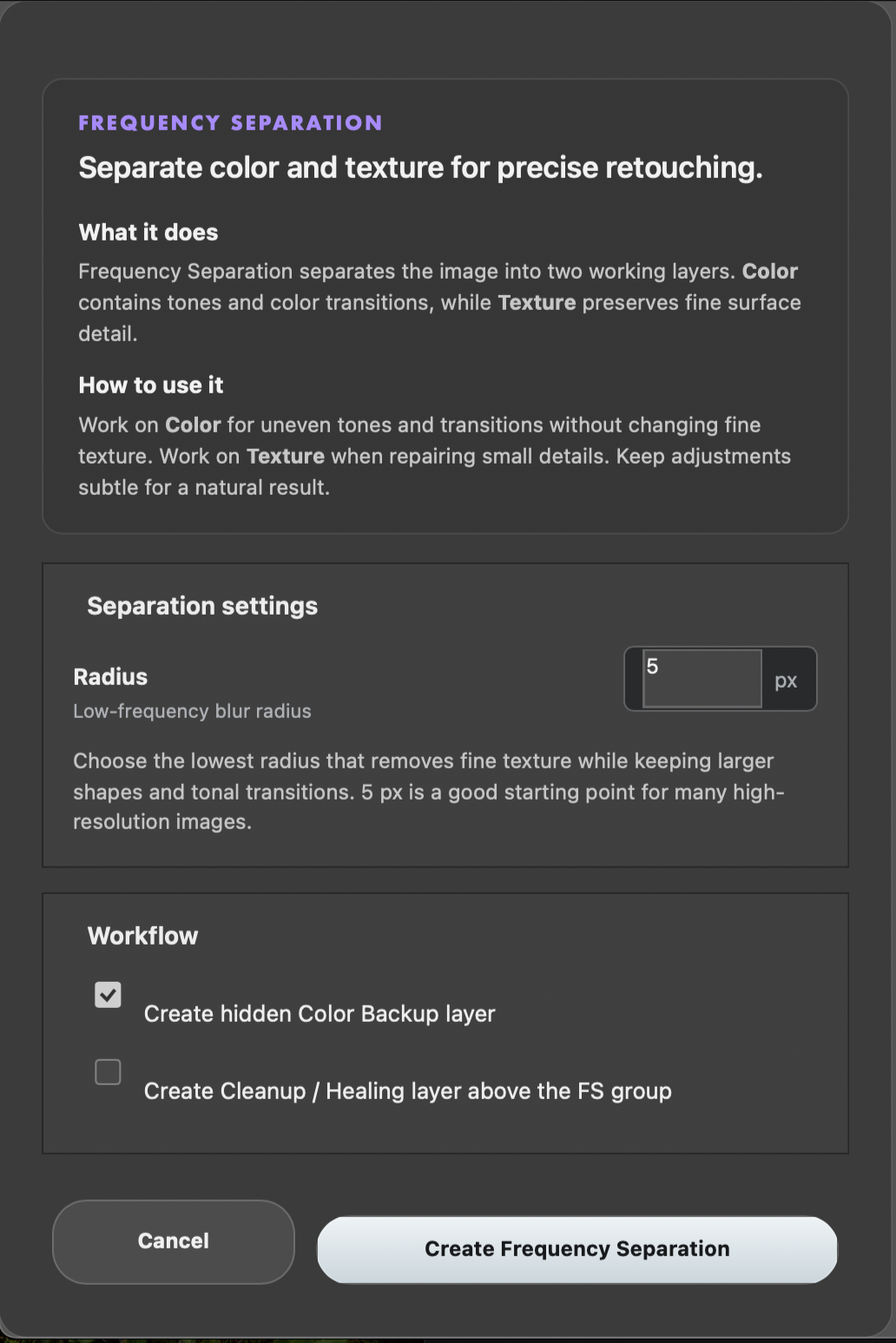
01 — Frequency Separation
Set the radius. Choose your workflow options. Click Create.
Roger's ToolBox builds the complete Color and Texture structure for you, ready for retouching.
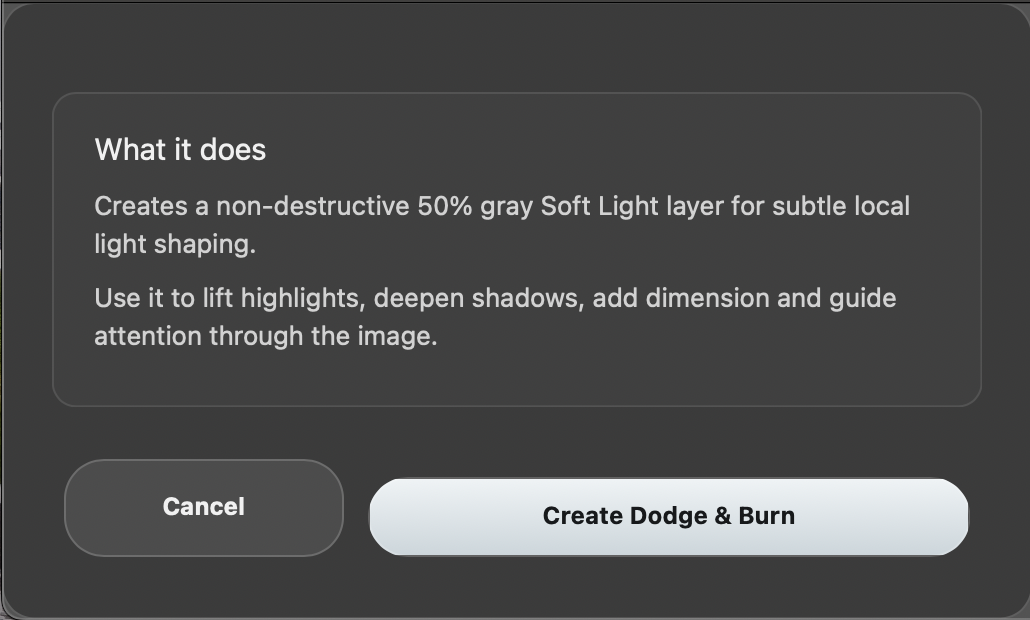
02 — Dodge & Burn
One click. Ready to paint.
A clean, non-destructive Dodge & Burn setup is created automatically, with practical guidance built directly into the workflow.
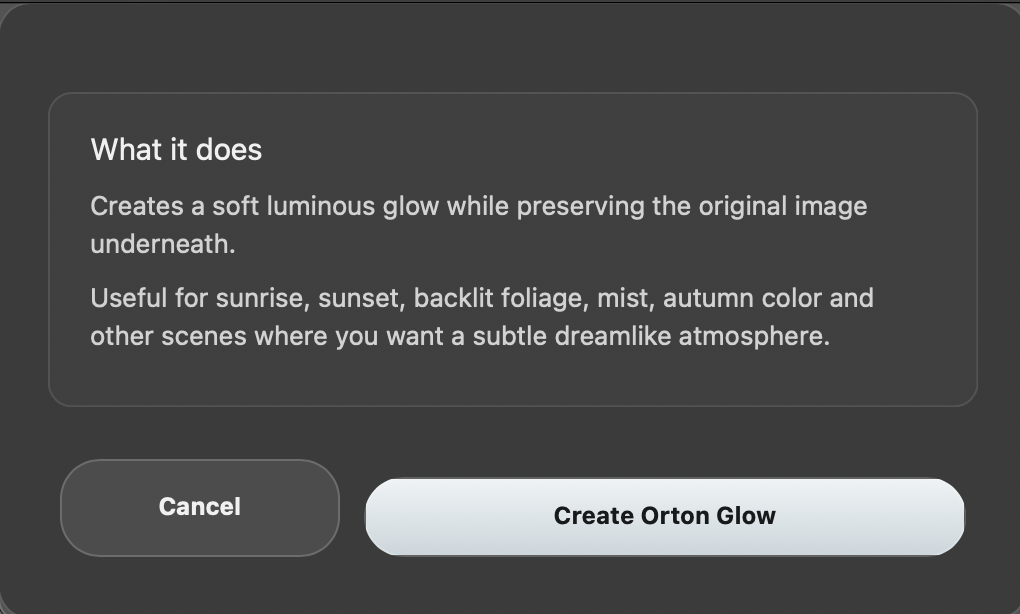
03 — Orton Glow
Atmosphere without the setup.
Create the layer structure for a classic Orton-style glow and continue refining the effect directly in Photoshop.
04 — Luminosity Masks
Select. Preview. Apply.
Move instantly between Lights, Darks and Midtones, then send the active mask directly to the adjustment or layer you need.
BUILT BY A PHOTOGRAPHER
Made for the way photographers actually work.
Roger's ToolBox started with a simple idea: spend less time building the same Photoshop workflows over and over, and more time working on the image itself.
After more than a decade of working professionally with Photoshop, I've learned that the best tools aren't necessarily the ones with the most features. They're the ones that make the everyday workflow faster, clearer and more intuitive.
I built Roger's ToolBox around techniques I use in my own photography and retouching — removing repetitive setup while keeping the workflow non-destructive and the creative decisions in your hands.
Built by a photographer, for photographers.
— Roger Hølmen
GOOD TO KNOW
Simple to install. Yours to keep.
Compatibility
Roger's ToolBox v1.0.0 is currently tested and supported on macOS. It has been developed and tested with Adobe Photoshop 27.8.0 using Adobe's UXP plugin platform.
Roger's ToolBox is built on Adobe's cross-platform UXP architecture. Windows compatibility has not yet been officially verified.
One-time purchase
No subscription. Pay once and keep using Roger's ToolBox.
Installation
Quick to install and easy to access. Once installed, Roger's ToolBox is available directly inside Photoshop and can be docked wherever it fits naturally into your workspace.
Updates
Updates, improvements and new features released within Roger's ToolBox 1.x are included with your purchase.
Language
Roger's ToolBox is currently available in English, including the interface and built-in workflow guidance.
Designed for photographers
A focused Photoshop workflow tool designed to reduce repetitive setup without taking control away from the photographer.
FREQUENTLY ASKED QUESTIONS
-
No. Roger's ToolBox is a one-time purchase. There are no recurring subscription fees.
-
Roger's ToolBox v1.0.0 has been developed and tested with Adobe Photoshop 27.8.0 on macOS. Official support for additional Photoshop versions will be expanded as testing continues.
-
Roger's ToolBox is built using Adobe's cross-platform UXP architecture. Version 1.0.0 has currently been tested on macOS only, so official Windows support has not yet been verified.
-
No. Roger's ToolBox is designed for the desktop version of Adobe Photoshop and uses Adobe's UXP plugin platform.
-
Updates, improvements and new features released within Roger's ToolBox 1.x are included with your purchase.
-
Color Match is already in development and is planned for a future Roger's ToolBox 1.x update.
-
Yes. Roger's ToolBox is designed to automate repetitive setup, not the creative decisions. The layers, masks and adjustments it creates remain available for you to refine directly in Photoshop.
-
Installation instructions are included with your download. Once installed, Roger's ToolBox appears inside Photoshop and can be docked alongside your other panels.
-
The current version of Roger's ToolBox is available in English.
READY TO EDIT SMARTER?
Spend less time on setup. More time on the image.
Roger's ToolBox brings essential Photoshop workflows together in one clean, focused panel — built to become a natural part of your everyday editing workflow.
Launch Price. 149 NOK
249 NOK Regular price
One-time purchase · No subscription
Roger's ToolBox
Built by a photographer, for photographers.
Roger’s ToolBox – Help & Support
Need help installing or using Roger’s ToolBox? Find installation instructions, troubleshooting information and contact details below.
Installation
Download the plugin package and follow the installation guide included with your purchase.
Using the tools
Roger’s ToolBox includes Frequency Separation, Dodge & Burn, Orton Glow and Luminosity Masks. For best results, work on a copy of your document and save your work before applying an effect.
Troubleshooting
If a tool does not work as expected, restart Photoshop and try it on a new RGB document. If the issue persists, please contact support with your operating system, Photoshop version, the tool you were using and a screenshot of any error message.
Contact support
For installation assistance, technical questions or bug reports, please use the contact form below.